
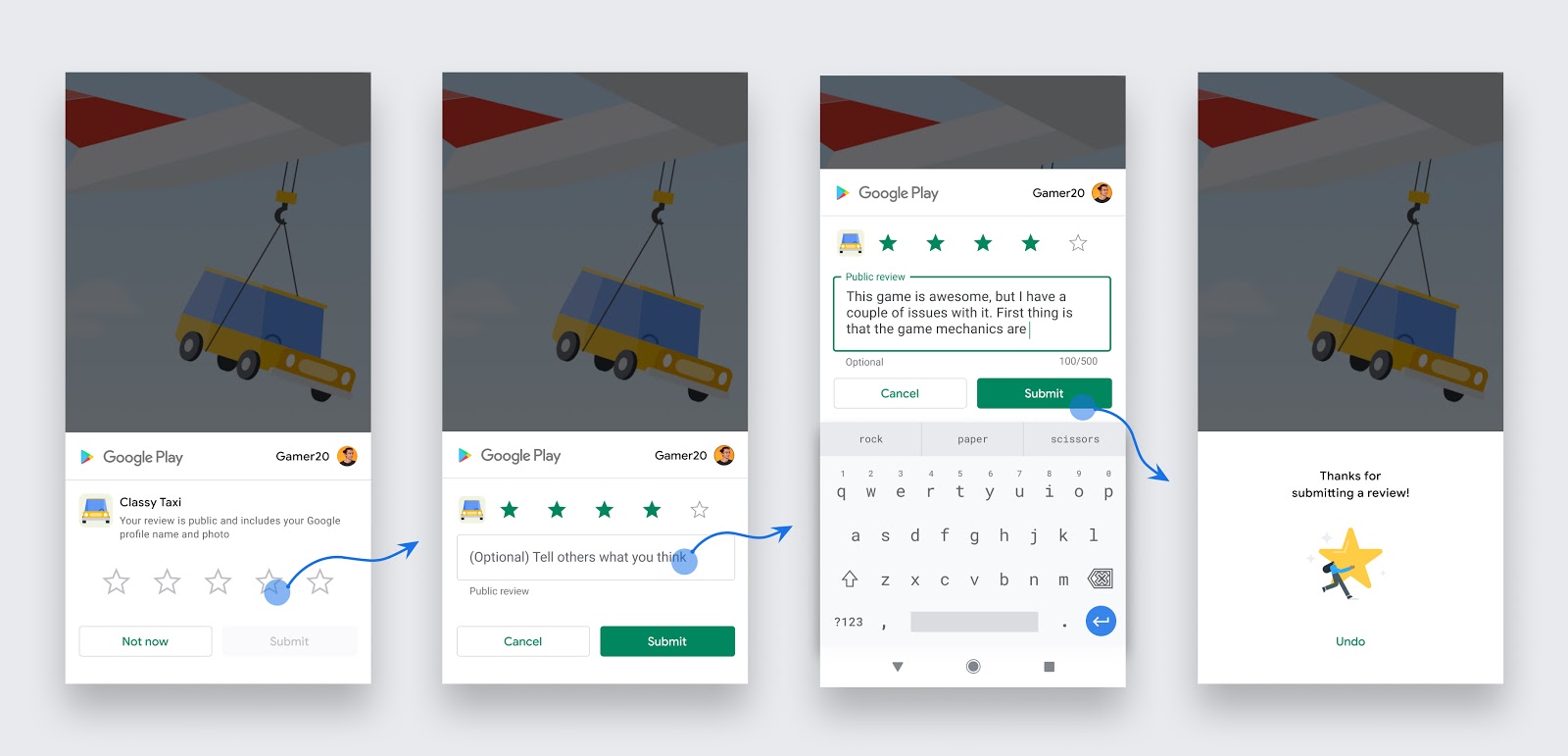
Two months ago, Google released the In-App Review API, allowing users to complete ratings and reviews without jumping out of the application. I added this feature to the open source application wake up screen. This article will introduce how to integrate it and the problems I encountered.
This article is based on the play core 1.8.2 version, and the operation record time is October 2020. Because the API relies on Google Play, different versions or times may have different performance.
Take Kotlin or Java as an example. First, we need to intergrate a dependent library into the project. Refer to Official Document
// In your app’s build.gradle file:
...
dependencies {
    // This dependency is downloaded from the Google’s Maven repository.
    // So, make sure you also include that repository in your project's build.gradle file.
    implementation 'com.google.android.play:core:1.8.2'

    // For Kotlin users also import the Kotlin extensions library for Play Core:
    implementation 'com.google.android.play:core-ktx:1.8.1'
    ...
}
The code call can be divided into three parts
private val manager: ReviewManager = ReviewManagerFactory.create(context)

...

val request = manager.requestReviewFlow()
request.addOnCompleteListener { result ->
    if (result.isSuccessful) {
        manager.launchReviewFlow(activity, result.result)
    }
}
The effect diagram is as follows
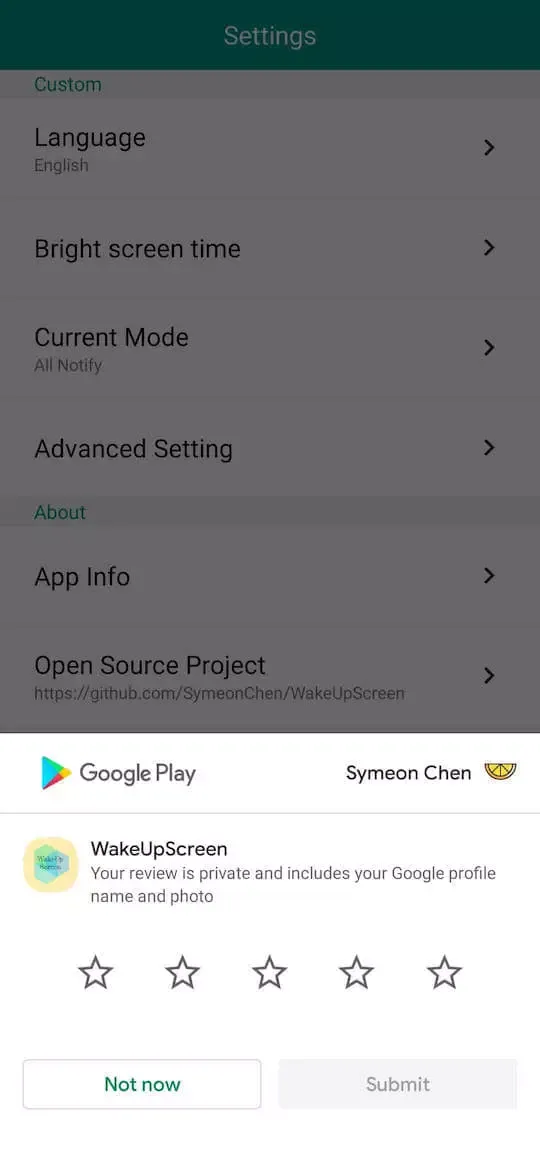
Although the intergrate code is very simple, there are many issues that need attention in the actual application process
Therefore, it should be obtained and cached in advance or UI prompts should be made during the request process.
Therefore, the callback of lanchReviewFlow can be used to continue other application behaviors, but it should not be assumed that it can succeed or fail.
In the testing phase, we can use Internal App Sharing and Internal Test Track for functional testing. Apps installed through these two channels will ignore quota Restrictions, and through the Internal App Sharing channel, the review will not be able to be submitted. In the production phase, the frequency of requests for this interface should be reduced as much as possible. It is recommended not to exceed once a month, and to save the record in the application. If the request is repeated within the custom limit time, then the original Jump to the scoring logic without using the new API.
The processing method is the same as above.
Therefore, it is necessary to clarify the usage scenario and display it when the user must fill in the evaluation to avoid disturbing the user.
The official recommendation of the calling scene is given by the official:
Follow these guidelines to help you decide when to request in-app reviews from users:
- Trigger the in-app review flow after a user has experienced enough of your app or game to provide useful feedback.
- Do not prompt the user excessively for a review. This approach helps minimize user frustration and limit API usage (see the section on quotas).
- Your app should not ask the user any questions before or while presenting the rating button or card, including questions about their opinion (such as “Do you like the app?”) or predictive questions (such as “Would you rate this app 5 stars”).
Limited by the quota and the black box of the callback results, the space available for applications is greatly compressed. If you want to use this feature in actual projects, you need to handle exceptions.
If you have anything you'd like to discuss, any ideas you want to bounce around, please send me a message.
